You opened the paper.
You don't have to read all of it.

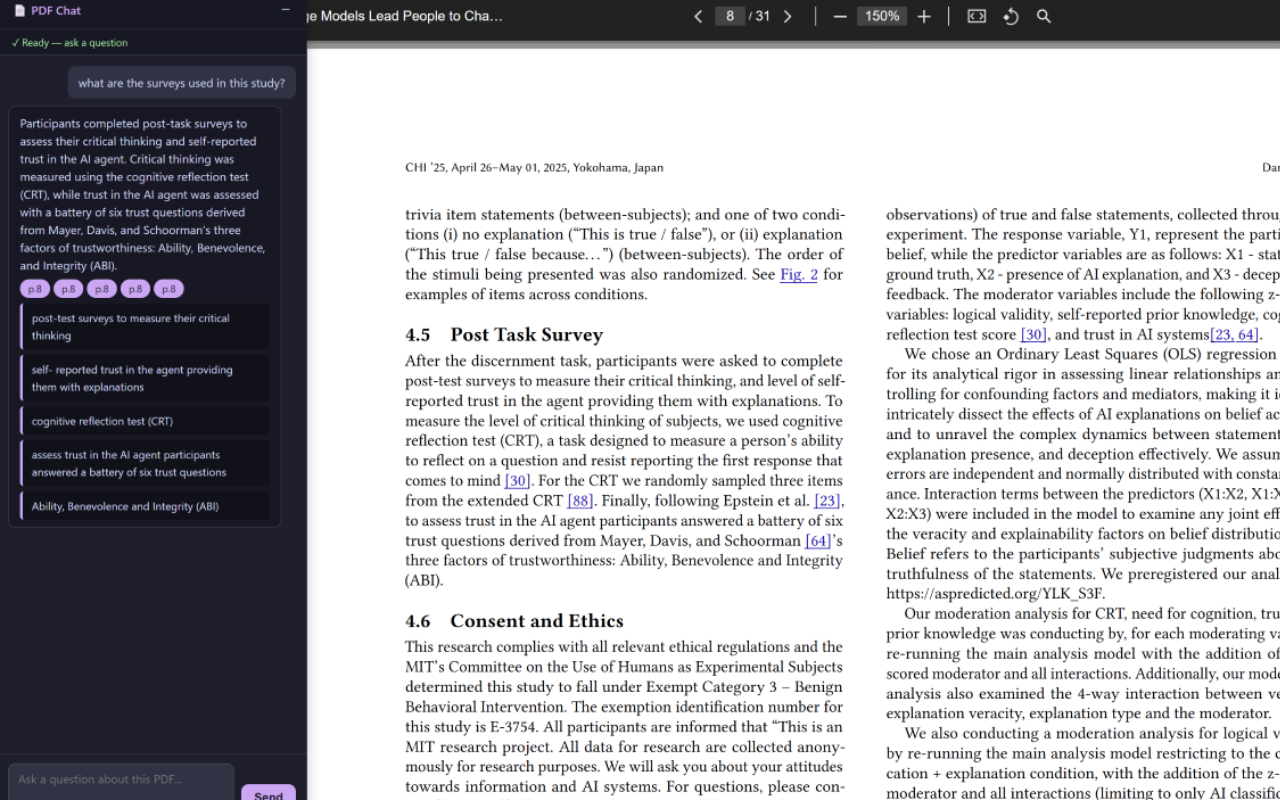
Skim adds an AI assistant to every PDF you open in Chrome with any PDF reader. Ask anything — get a cited answer in seconds. No downloads. No uploads. No file management.
Add to Chrome — Try it for free
scholar.google.com › pdf › your-paper.pdf
Skim panel alongside a research paper in Chrome

Why Skim

Built for the way researchers actually read

01

Works where you are reading

No switching tabs, no uploading files. The chat panel appears alongside any of the PDF viewers you use — on Google Scholar PDF Viewer, journal sites, or your local files.

02

No files download needed.

You shouldn't need to save a paper that you won't need. Skim reads whatever is already in your browser — nothing needs to be stored and managed.

03

Answers you can verify

Every response cites the exact page and passage it came from. You stay in control — and you can always check the source.

How it works

Up and running in under a minute

1

Install the extension

One click from the Chrome Web Store. No configuration, no account setup required to get started.

2

Sign in with Google

Open the extension and sign in. Your Google account keeps your sessions secure — no new passwords.

3

Enable file access

In Chrome, go to the extension's detail page and enable Allow access to file URLs.

4

Open a PDF and ask

Navigate to any PDF in Chrome — Google Scholar, a journal, a university portal, or your local files. The chat panel opens automatically. Type a question and get a cited answer in seconds.

FAQ

Frequently asked questions

The other extensions might require manually downloading and uploading the PDF to the extension, which is not very convenient. Skim reads the PDF directly from your browser, so you don't need to download it.

They may not work reliably on paywalled or login-protected PDFs, and they don't function when the Google Scholar PDF Viewer or other PDF viewers are enabled.

You can — but the workflow is slow. You'd need to download the PDF, upload it to ChatGPT, wait for processing, then switch between tabs to verify anything. Skim lives in the same window as your PDF and answers without any of that friction. The responses are also grounded to the actual document text, not trained weights.

PDF text is sent to our backend only to answer your question and is not retained after the session ends. We do not train on your documents. See the Privacy Policy for full details.

Yes. Because Skim reads the PDF directly from your browser — where you're already authenticated — it can access any PDF you can open, including those behind institutional logins or paywalls.

Skim works best with text-based PDFs (the vast majority of academic papers). Scanned documents that haven't been OCR-processed won't have extractable text, so answers may be limited or unavailable for those files.

The paper's already open.
Ask it something.

Ask your first question for free

Works on any PDF in Chrome · Sign in with Google